Customer expectations have changed dramatically in recent years. People now expect instant responses, personalized interactions, and seamless communication across multiple channels. To meet these expectations, businesses are increasingly adopting a WhatsApp Business Solution to connect with customers, provide support, and drive sales.
With billions of users worldwide, WhatsApp has become one of the most preferred communication channels for businesses and customers alike. A WhatsApp Business Solution helps organizations automate conversations, improve customer engagement on WhatsApp, and manage communication at scale.
Whether you’re an e-commerce business, educational institution, healthcare provider, startup, or enterprise, implementing a WhatsApp Business Solution can help streamline customer interactions and accelerate business growth.
What is a WhatsApp Business Solution?
A WhatsApp Business Solution is a professional business messaging platform that enables companies to communicate with customers through the WhatsApp Business Platform and WhatsApp Business API.
Unlike the standard WhatsApp Business App, which is designed for small businesses, the WhatsApp Business Platform offers advanced capabilities such as automation, CRM integration, chatbot deployment, analytics, and multi-agent support.
WhatsApp Business App vs WhatsApp Business Platform/API
- The WhatsApp Business App is ideal for small businesses with basic messaging needs.
- The WhatsApp Business Platform/API is designed for growing businesses and enterprises.
- The Business App offers limited automation, while the API supports advanced WhatsApp automation and chatbot functionality.
- The API enables multi-agent access, CRM for WhatsApp Business, and advanced reporting.
- Businesses handling large customer volumes benefit more from the WhatsApp Business Platform API.
Benefits for Growing Businesses
- Faster customer communication
- Automated customer support
- Improved lead management
- Better customer retention
- Increased sales conversions
- Scalable communication workflows
A modern WhatsApp Business Solution allows businesses to engage customers more efficiently while reducing manual effort.
Why Businesses Need a WhatsApp Business Solution
Investing in a WhatsApp Business Solution provides several advantages throughout the customer journey.
Faster Customer Support
Customers expect quick responses. Businesses can instantly answer inquiries and provide real-time support through WhatsApp.
Automated Communication
With WhatsApp automation and WhatsApp chatbot integration, businesses can automate FAQs, appointment reminders, lead qualification, and customer support.
Lead Generation
Click-to-WhatsApp campaigns and website chat widgets help businesses capture and nurture leads directly through WhatsApp.
Customer Retention
Personalized communication strengthens customer relationships and encourages repeat purchases.
Higher Sales Conversion
Real-time conversations help businesses resolve customer concerns and guide them toward purchasing decisions.
Omnichannel Communication
A WhatsApp Business Solution can be integrated with websites, CRM systems, email marketing platforms, and social media channels for a seamless customer experience.
Contactless Shopping Experiences
Customers can browse products, place orders, make payments, and receive updates without visiting a physical location.
Prerequisites Before Getting Started
Before implementing a WhatsApp Business Solution, businesses should prepare the following:
Business Documents
- Business registration certificate
- GST certificate (if applicable)
- Official website
- Business email address
Facebook Business Manager WhatsApp Setup
A verified Meta Business Manager account is required to access the WhatsApp Business Platform.
WhatsApp Business Verification
Business verification confirms your organization’s legitimacy and helps build customer trust.
Phone Number Requirements
Use a dedicated phone number that is not currently connected to another WhatsApp account.
Choose an Official WhatsApp Business Solution Provider
Selecting a trusted WhatsApp Business Solution Provider ensures faster onboarding, WhatsApp API integration, and ongoing technical support.
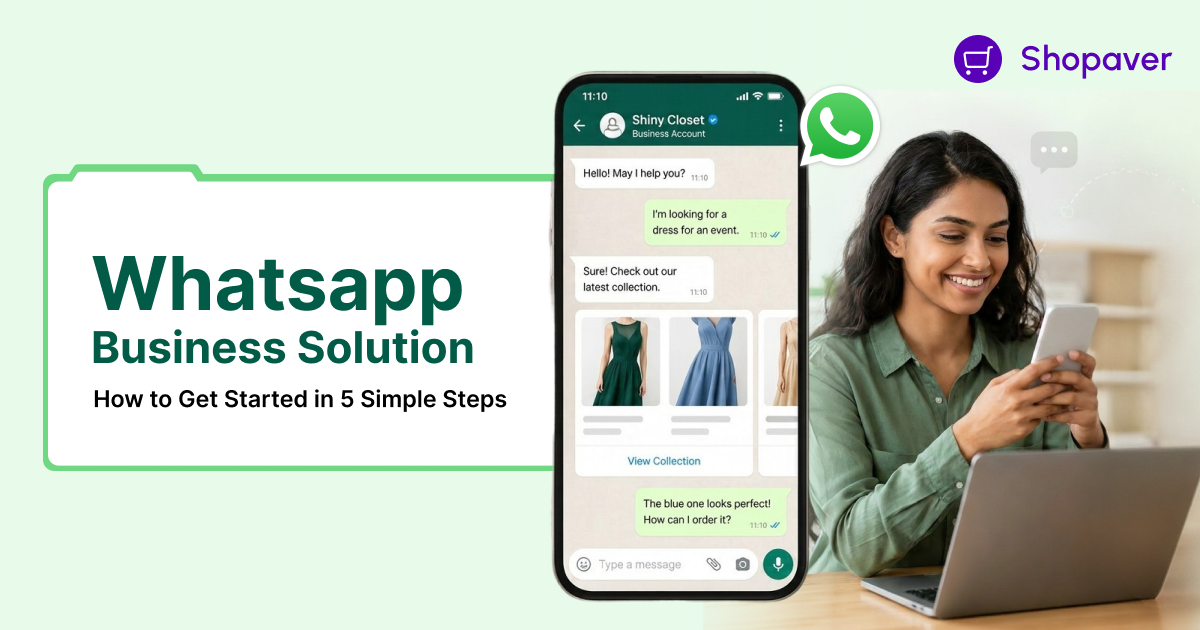
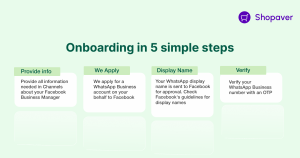
How to Get Started in 5 Simple Steps
Step 1: Create Your Meta Business Manager Account
Start by creating a Meta Business Manager account and adding your business information.
Best Practices
- Use accurate business details.
- Verify your website domain.
- Add all relevant business assets.
Step 2: Complete WhatsApp Business Verification
Submit the required documents for Meta’s verification process.
Best Practices
- Ensure business information matches legal records.
- Upload valid and clear documentation.
Step 3: Choose a WhatsApp Business Solution Provider
Partner with a provider that offers WhatsApp Business onboarding, API access, chatbot tools, analytics, and support.
Best Practices
- Evaluate scalability and integration capabilities.
- Review customer support quality.
- Compare pricing and features.
Step 4: Set Up WhatsApp API Integration
Connect your CRM, website, customer support platform, or business applications using WhatsApp API integration.
Best Practices
- Configure message templates.
- Integrate customer databases.
- Test workflows before launch.
Step 5: Launch Automation and Customer Engagement Workflows
Deploy WhatsApp chatbot solutions, automated replies, lead capture workflows, and customer support automation.
Best Practices
- Balance automation with human interaction.
- Continuously optimize workflows based on customer feedback.
Following these steps ensures a successful WhatsApp Business Solution implementation.
Key Features to Implement After Setup
Once your WhatsApp Business Solution is active, consider implementing the following features:
WhatsApp Chatbot Integration
Provide 24/7 customer support and automate routine conversations.
CRM for WhatsApp Business
Manage leads, customer interactions, and sales pipelines from a single platform.
Automated Lead Capture
Collect and qualify leads automatically.
Broadcast Campaigns
Send promotional messages, offers, and updates at scale.
Click-to-WhatsApp Ads
Convert social media traffic into meaningful customer conversations.
Shared Team Inbox
Allow multiple agents to manage customer inquiries efficiently.
Analytics and Reporting
Track campaign performance and customer engagement metrics.
Payment Collection
Enable customers to complete transactions seamlessly.
Catalog Management
Showcase products and services directly within WhatsApp chats.
How Different Industries Use WhatsApp Business Solutions
E-commerce
Order confirmations, delivery updates, abandoned cart recovery, and promotional campaigns.
Education
Student admissions, fee reminders, course inquiries, and demo class notifications.
Healthcare
Appointment scheduling, patient reminders, and post-treatment follow-ups.
Real Estate
Property inquiries, virtual tours, and lead nurturing.
Travel
Booking confirmations, travel updates, and customer support.
Finance
Customer onboarding, payment reminders, and transaction notifications.
Retail
Product catalogs, personalized recommendations, and customer support.
Common Challenges and How to Avoid Them
- Verification Delays: Submit accurate business documents and ensure all details match your Meta Business Manager account.
- Poor Automation Setup: Plan customer journeys carefully before deploying automation.
- Low Engagement Rates: Use personalized and relevant messages to increase customer interaction.
- Compliance Issues: Follow WhatsApp policies and obtain customer consent before sending promotional messages.
- Broadcast Limitations: Build an opt-in subscriber list and share valuable content consistently.
By addressing these challenges early, businesses can maximize the value of their WhatsApp Business Solution.
Why Choose Shopaver as Your WhatsApp Business Solution Provider?
Shopaver helps businesses implement a complete WhatsApp Business Solution with minimal effort and maximum efficiency.
Key Benefits
- Fast WhatsApp Business onboarding
- Official WhatsApp API access
- No-code WhatsApp chatbot platform
- CRM integration capabilities
- Advanced WhatsApp automation workflows
- Broadcast campaign management
- Real-time analytics dashboard
- Affordable pricing plans
- Dedicated onboarding and support
Whether you’re a startup or an enterprise, Shopaver provides scalable WhatsApp solutions for business growth and customer engagement.
A WhatsApp Business Solution has become essential for businesses looking to improve customer communication, automate processes, and increase conversions. By following these five simple steps, creating a Meta Business Manager account, completing WhatsApp Business verification, choosing the right provider, setting up WhatsApp API integration, and launching automation workflows, you can build a powerful communication channel for your business.
From lead generation and customer support to WhatsApp marketing solutions and omnichannel communication, the right WhatsApp Business Solution can help you deliver exceptional customer experiences while driving sustainable growth.
Ready to get started? Book a demo with Shopaver today and discover how our WhatsApp Business Solution can help you automate conversations, improve customer engagement, and grow your business faster.
FAQs
What is a WhatsApp Business Solution?
A WhatsApp Business Solution enables businesses to communicate, automate, and engage with customers using the WhatsApp Business API and related tools.
How long does WhatsApp Business verification take?
The verification process can take anywhere from a few hours to several business days, depending on the accuracy of submitted documents.
Can small businesses use WhatsApp API?
Yes. Small businesses can access WhatsApp API through an approved WhatsApp Business API Solution Provider.
What is the difference between WhatsApp Business App and API?
The WhatsApp Business App is suitable for basic messaging, while the API supports automation, CRM integration, chatbots, analytics, and multi-agent communication.

Narendra Kumar is a skilled content writer crafting engaging and insightful content.