Running a small business requires careful management of sales, stock, and orders. Without the right system, mistakes in billing or inventory can lead to losses and unhappy customers.
A POS with inventory management helps small businesses streamline operations by combining billing and stock tracking in one system.
Instead of maintaining manual records, shop owners can manage sales, monitor stock levels, and track orders automatically.
How Does POS with Inventory Management Work?
A POS with inventory combines point-of-sale functions with inventory control tools.
This allows businesses to:
- Record sales quickly during checkout
- Track stock levels automatically
- Manage orders and inventory from one dashboard
With a POS with inventory management, every sale automatically updates inventory levels. This ensures businesses always know how much stock is available.
For businesses selling both online and offline, modern systems support multi-channel ecommerce inventory management, keeping stock synchronized across all platforms.
Why Do Small Businesses Need POS with Inventory Management?
Small businesses often struggle with manual inventory tracking and billing errors. A POS with inventory management solves these problems by automating operations.
Key advantages include:
- Faster billing and checkout
- Automatic inventory updates
- Better stock visibility
- Reduced manual work
Using a POS with inventory management helps small businesses run operations more efficiently and focus on growth instead of manual record keeping.
What Are the Key Benefits of POS with Inventory Management?
Here are some major benefits of using a POS with inventory management system.
Accurate Inventory Tracking
A reliable POS with Stock management ensures stock levels are always updated. This prevents stockouts and overstocking.
Time Savings
Automated billing, order tracking, and stock updates save hours of manual work every week.
Improved Customer Experience
Faster billing and accurate product availability improve customer satisfaction.
Data-Driven Decisions
Sales reports from retail inventory systems help businesses analyze trends and plan purchases.
Reduced Errors
Manual inventory tracking often leads to mistakes. A POS with inventory management minimizes these risks.
Additionally, cloud based inventory management allows shop owners to check stock data from anywhere using mobile devices.
What Features Should You Look for in POS with Inventory Management?
Choosing the right POS with Warehouse management requires evaluating key features.
- Product Inventory Management
The system should track product quantities, locations, and sales history. This ensures accurate stock control.
- Order Management System
An order management system allows businesses to manage orders from multiple channels and update inventory automatically.
- Sales Reports and Analytics
Reporting tools provide insights into sales trends, best-selling products, and slow-moving inventory.
- Multi-Channel Inventory Support
A modern POS with inventory management supports multi-channel ecommerce inventory management, syncing stock between online and offline stores.
- Cloud Access
Cloud-based systems allow business owners to monitor inventory remotely.
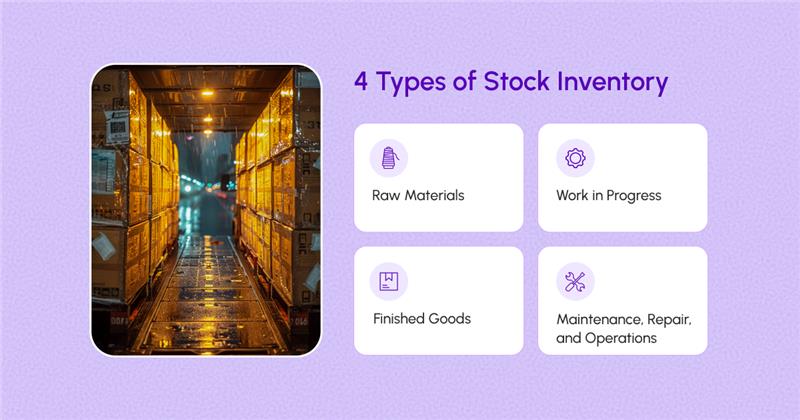
- Manufacturing Inventory Tracking
Small manufacturers can use a manufacturing inventory system to track raw materials, production, and finished goods.
These features help businesses improve accuracy and streamline operations.
What Types of POS with Inventory Management Systems Exist?
Different businesses require different types of systems. The most common types include:
Retail POS with Inventory
Designed for retail shops, supermarkets, and boutiques.
Multi-Channel POS Systems
Ideal for businesses selling both online and offline. These systems support multi-channel ecommerce inventory management.
Cloud-Based POS Systems
These systems use cloud based inventory management, allowing remote access to inventory data.
Manufacturing POS Systems
Manufacturing businesses use inventory systems to track raw materials and finished products.
Selecting the right POS with inventory management depends on your business model and sales channels.
Why Is POS with Inventory Management Better Than Manual Tracking?
Manual inventory tracking is slow and error-prone. Using a POS with inventory provides several advantages.
Efficiency
Inventory updates automatically after each sale.
Accuracy
Stock levels and pricing remain accurate at all times.
Better Planning
Reports help businesses plan purchases and avoid overstocking.
Professional Operations
Customers experience faster billing and accurate product availability.
Scalability
Businesses can easily manage more products and locations as they grow.
Even small shops benefit greatly from implementing a POS with inventory management system.
How Does Shopaver Help Small Businesses Manage Inventory?
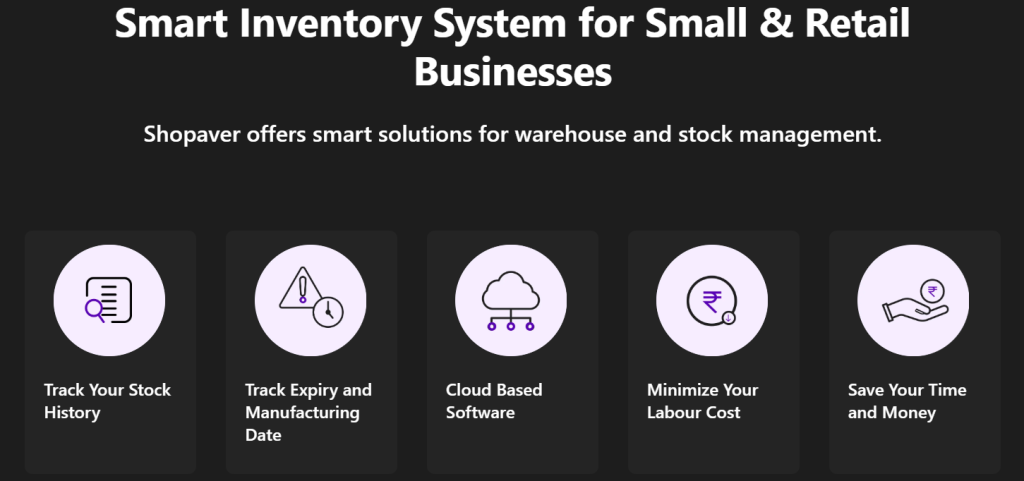
Shopaver provides a complete POS with inventory management solution designed for small businesses.
With Shopaver, business owners can:
- Track inventory for online and offline stores
- Manage orders using an order management system
- Monitor stock with cloud based inventory management
- Generate sales and inventory reports
Sync inventory using multi-channel ecommerce inventory management
Shopaver is affordable and easy to use, making it a practical choice for small businesses looking for a powerful POS with inventory management system.
How Can You Choose the Best POS with Inventory Management?
Choosing the right system requires evaluating your business needs.
Assess Your Business Size
Understand your product range, sales channels, and order volume.
Check Essential Features
Look for features like inventory tracking, order management, and reporting.
Choose User-Friendly Software
A simple interface makes it easier for employees to use the system.
Check Integrations
Ensure the system works with ecommerce platforms, WhatsApp commerce, or accounting tools.
Compare Pricing
Affordable solutions like Shopaver offer advanced features without high costs.
Selecting the right POS with inventory management ensures better operations and long-term business growth.
Frequently Asked Questions
Q1. Can small businesses use cloud-based inventory management?
Yes. Cloud-based systems allow small businesses to track inventory from anywhere using smartphones, tablets, or computers.
Q2. Can POS systems track orders and inventory together?
Yes. A POS with inventory management automatically updates stock levels whenever a sale or order is processed.
Q3. Is multi-channel inventory management important for small businesses?
Yes. If businesses sell online and offline, multi-channel ecommerce inventory management ensures accurate stock synchronization.

Aachal has 5+ years of experience in retail technology and POS-related content, writing practical and insight-driven blogs for small businesses in India.